This Article Contains
Why Standing at the Edge Stretches Your Face Sideways
In group photos, a wide-angle lens (one with a broad field of view) is commonly used in order to fit a large number of people into one frame. Wide-angle lenses have the characteristic of stretching subjects the further they appear toward the edges of the frame.
This effect has little impact on people standing in the center, but it grows stronger the closer you get to the edge. Your face appears wider, your shoulders look larger, and you get an overall "stretched horizontally" quality.
This is not a face or body shape problem — it is a lens and position problem. Knowing this frees you from the mistaken belief that something is wrong with you.
The Effect Gets Stronger When Wide Angle Meets Close Distance
Edge distortion is not caused by a wide-angle lens alone. It becomes particularly strong with the combination of a wide-angle lens and a close shooting distance.
When a large group is indoors or in a confined space, the photographer may not be able to step back far enough. The closer the distance, the more visible the edge distortion and the greater the change in facial proportions.
The photographer stepping back even a little reduces the distortion for those at the edges. In a group photo of a hundred people, the photographer's backing distance affects how well everyone comes out.
FIG. 022A diagram showing how facial proportions differ between the edge and the center of a group photo.
Three Things You Can Do in a Group Photo
The options available to you depend on the situation. Combine whatever works.
- Move one person's width toward the center — You don't need to reach the exact middle. Moving just one position away from the edge is enough to make the distortion much less noticeable.
- Turn your face toward the inside of the frame — Even if you end up at the edge, angling your face and body slightly toward the center reduces the horizontal stretch. Turning outward makes it worse.
- Ask the photographer to step back — Simply saying "Could you step back a little?" helps everyone's proportions look more even — not just yours.
Turning Your Body Outward Makes Things Worse
Some people at the edge instinctively turn their body sideways or lean outward, perhaps feeling self-conscious or not wanting to crowd others. This has the opposite of the intended effect.
The more you open your body toward the outside, the closer your face and shoulders move toward the edge of the frame, which increases distortion. If you're going to be at the edge, turning your body inward actually preserves your proportions better.
It is also worth noting the risk of stopping at just one shot. The more people there are, the more likely it is that someone blinks, has a different expression, or shifts their position. Taking several shots gives you more candidates to choose from.
When you're unhappy with how you look at the edge of a group photo, suspect position and distance before suspecting your face.
What to Check When Selecting Photos
When reviewing candidate photos, compare the face and shoulder shape of the person at the edge to someone in the center. If the difference is purely horizontal expansion, it is the effect of the lens and position. Because it is a proportions issue rather than an expression issue, compare several candidates before deciding.
When multiple candidates are available, don't select based on expressions alone — also check the proportions of those at the edges, and you'll be less likely to regret your choice later.
For important group photos — a company entrance ceremony, a founding anniversary, a family portrait — telling the photographer in advance "could you shoot from a distance where the people at the edges won't look stretched?" is a good idea.
- The edge of a group photo tends to stretch faces and bodies sideways due to wide-angle lenses — it is a position and distance issue, not a face issue.
- The three main remedies are: move toward the center, turn your face inward, and ask the photographer to step back.
- Taking multiple shots of a large group photo increases the chance of finding one free of blinks and edge distortion.
Related Diagrams
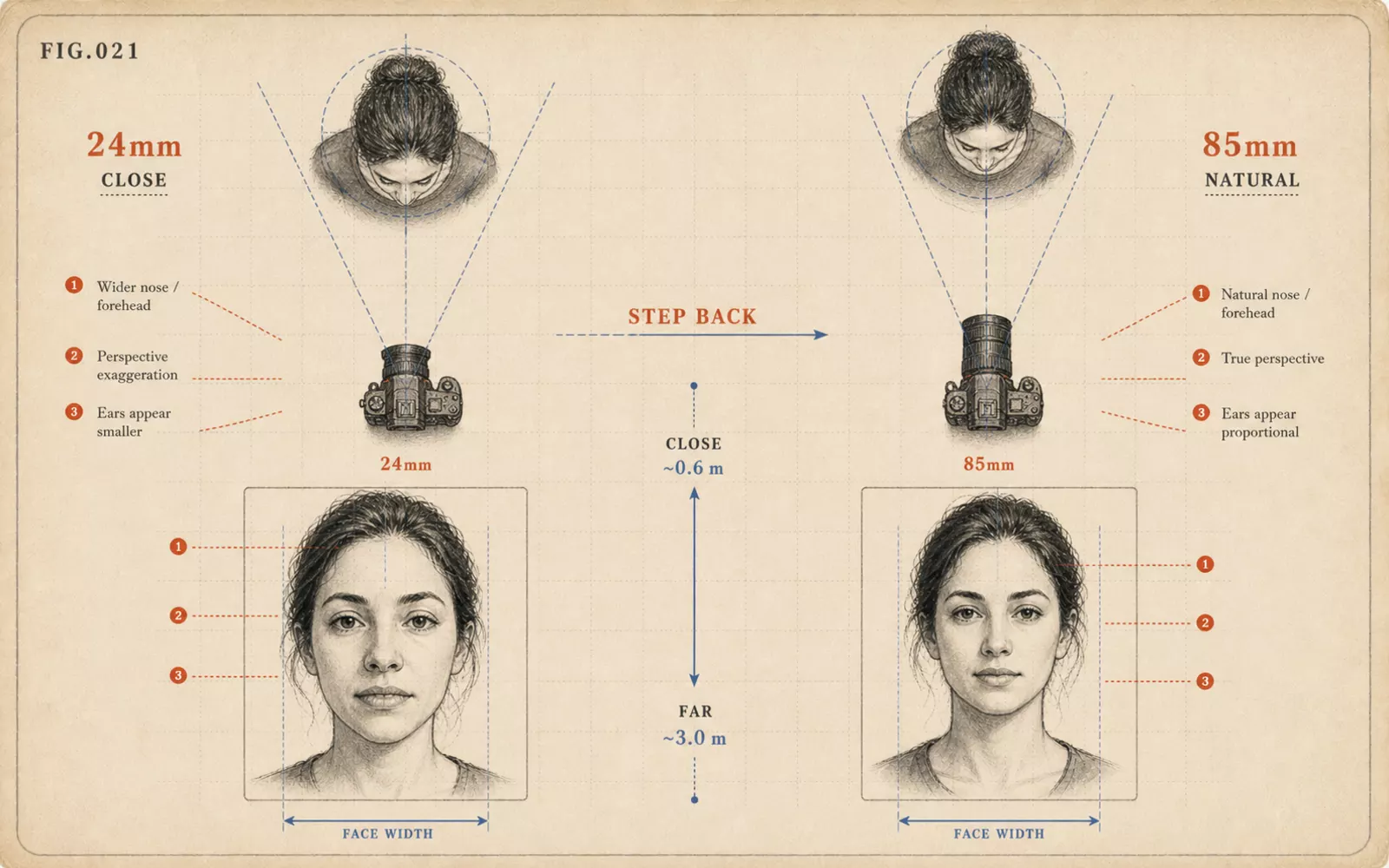 FIG.021The Courage to Ask Your Photographer to Step BackWhen the camera is too close, your face is distorted in the photo. The thinking behind using 85–135 mm with distance.
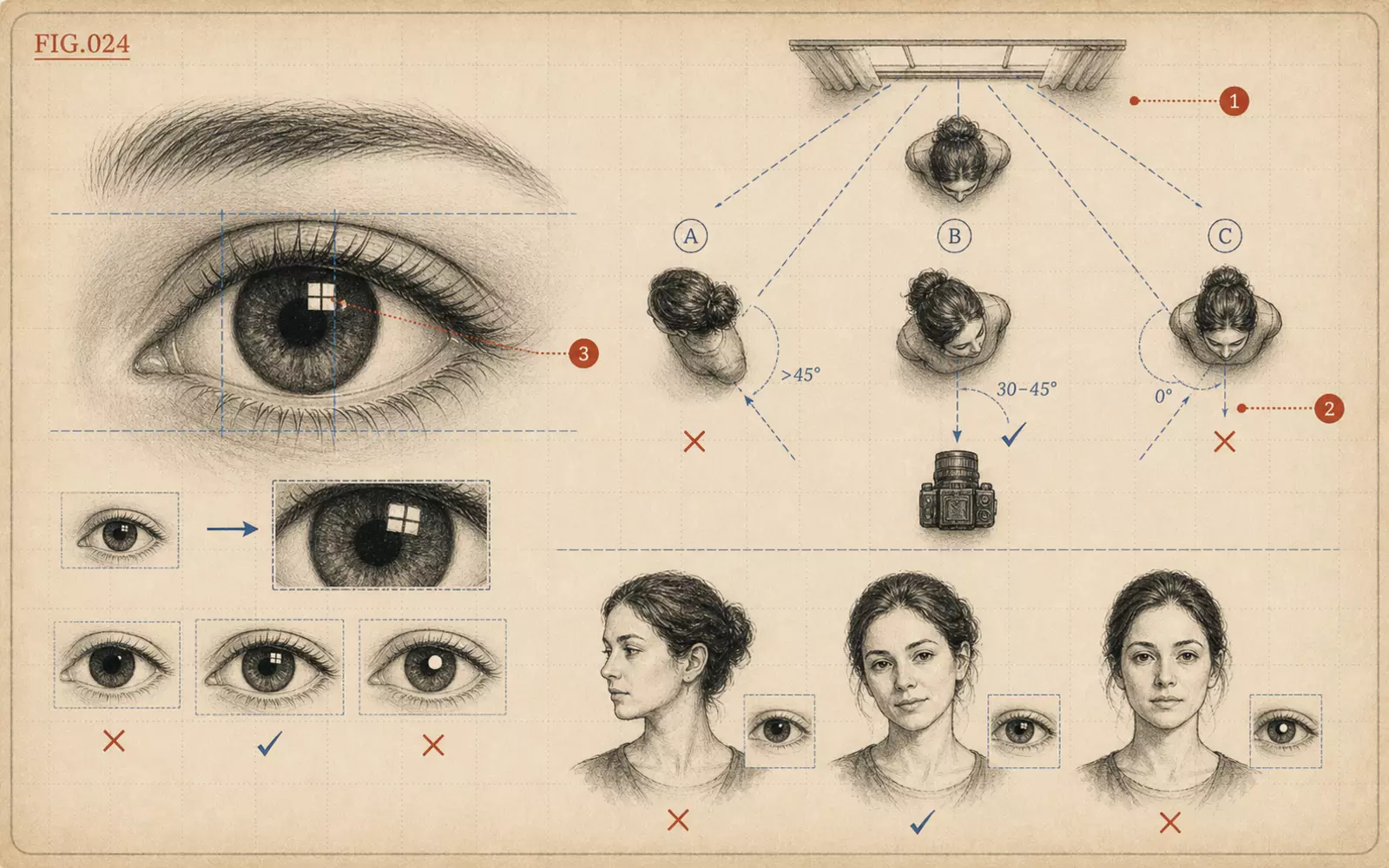 FIG.024How to Orient Your Body to Get Catchlights in Your EyesCatchlights are the small reflections of light in the pupils. Angling your chest toward the light, not just your face, makes them easier to achieve.
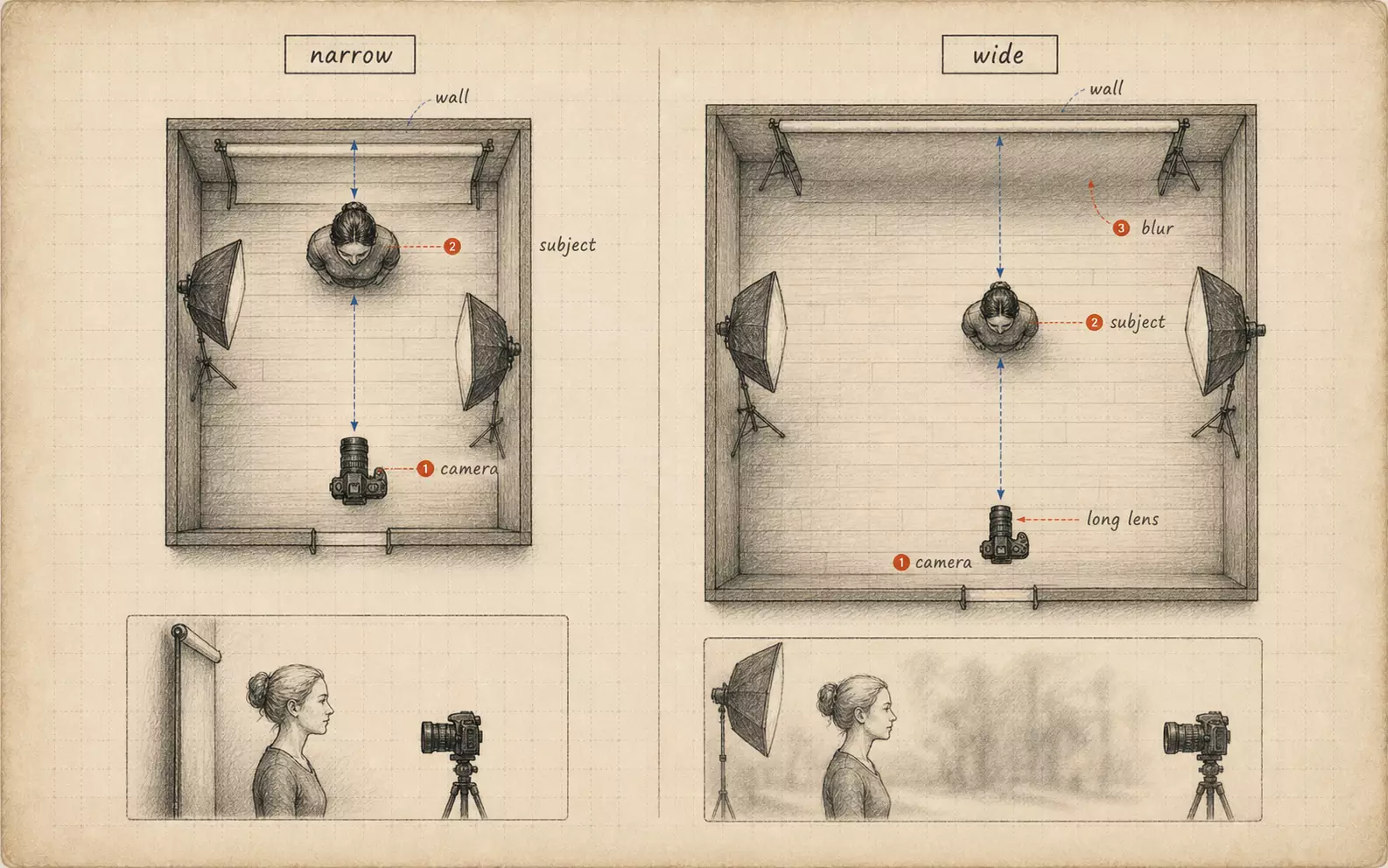 FIG.082What Changes with Studio SizeStudio depth is directly tied to lens choice. A 135 mm lens needs at least about 3.88 m of backing distance for a full-body shot.