This Article Contains
Breaking "Unphotogenic" into Three Parts
The worry of being "unphotogenic" usually lumps everything together and blames facial features. But how a photo turns out involves three components: ① facial features, ② shooting conditions (distance, light, posture, expression), and ③ photo selection — these three.
① cannot be changed. But ② and ③ can. Breaking down the feeling of being "unphotogenic" into these three parts and identifying which is the cause reveals what should be changed next.
"Looks dark and flat," "face looks large," "expression looks unnatural," "eyes look dead" — most of these are ② or ③ problems. Conditions and selection tend to have a greater influence on the result than facial features.
How Much Shooting Conditions Affect the Result
The same face produces a completely different impression when shooting conditions change. The ratio and three-dimensionality of the face differ between a close-up with a wide-angle lens and a photo taken from a distance with a medium telephoto (see FIG.081). Whether the light is hitting the front of the face affects three-dimensionality and the impression of the eyes.
A photo where only the eyes are tense while only the mouth is smiling (mismatched upper and lower expression) is a matter of how the expression is being made (see FIG.060). A photo without catchlight in the pupils can change with just a shift in the direction of light and the orientation of the face (see FIG.061). A photo with poor posture can be improved by working through a step-by-step process starting from the feet (see FIG.027).
Look at a photo you feel is "unphotogenic" and identify one specific condition that was the problem. Even if everything seems problematic, start by changing the one that has the most impact.
FIG. 115A diagram for thinking about photo dissatisfaction by separating it into facial features, shooting conditions, and photo selection.
Three Perspectives for Reconsidering Candidate Photos
When selecting a photo, using "do I like how my face looks" as the only criterion can result in never finding a satisfying one. Instead, reconsider from three perspectives.
① Are the upper and lower halves of the face expressing the same emotion? — A photo where the eyes look wide open with surprise while only the mouth is smiling has a mismatched expression (see FIG.060). ② Is there a small white highlight (catchlight) in the pupils? — Without it, the sense of vitality fades (see FIG.061). ③ Does the impression come through when the photo is reduced to the display size? — A photo that communicates the facial impression even at SNS icon size will work in practice.
Check these three points first, then narrow down from the remaining candidates by expression preference. Trying to narrow down by preference first makes it easy to overlook the three points.
Stop Attributing Discomfort to Facial Features
When you look at a photo and feel "something is off," it is easy to reflexively interpret it as a facial feature problem. "Eyes look small," "face looks large," "impression looks dark" — these are almost all condition problems.
"Eyes look small" is a matter of tension around the eyes (see FIG.010) or the direction of light. "Face looks large" is the lens effect of close-distance shooting (see FIG.081). "Impression looks dark" is a matter of light direction and catchlight (see FIG.061).
When you feel something is off, pause and ask: "Is this a condition problem or a facial feature problem?" If it is a condition problem, it can be changed in the next shoot. Making this questioning a habit changes your entire approach to photos.
Photo results are checked by separating them into conditions and selection — not by attributing them to personality or facial features.
What to Check Before Shooting and During Photo Selection
Before a shoot, write down one thing you want to confirm during that session. A single sentence is enough — something like "ask them to stand a little further back," "confirm the angle that puts light in my eyes," or "ask them to prompt me when I freeze up." Narrowing it down to one thing helps you stay focused during the shoot.
During the shoot, look only at that one point. Trying to improve everything at once makes it impossible to know what worked. Change one thing this session, then change one more thing in the next — this kind of incremental approach is effective.
When selecting photos, first place the photo in its actual display location. When placed in the profile section of a website or in the face portion of a business card, check whether it works in that specific context. Whether it functions in the place where it will be used is the ultimate criterion — not whether you like it as a standalone image.
- The concern of being unphotogenic can be broken down into three parts: facial features, shooting conditions, and photo selection. What you can change is the conditions and the selection.
- Review candidate photos on three points: upper-lower expression alignment, catchlight in the pupils, and impression after reducing to display size. Check these three before filtering by preference.
- Change only one thing per shoot. Do not try to fix everything at once.
Related Diagrams
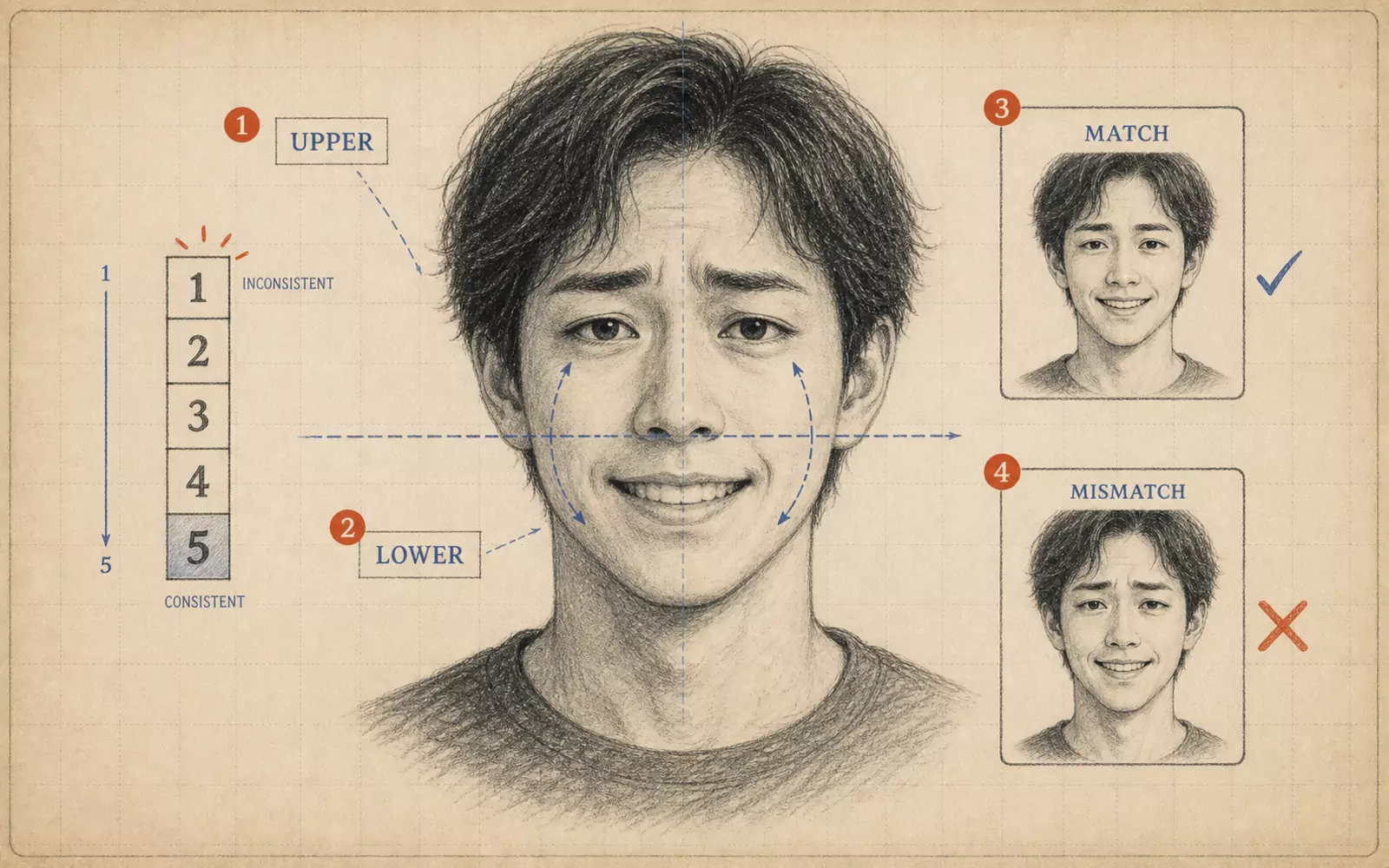 FIG.060Are the Upper and Lower Halves of Your Face Expressing the Same Emotion?When selecting photos, examine the upper and lower halves of the face separately. If only the eyes are wide open and the mouth is smiling, exclude it from your candidates.
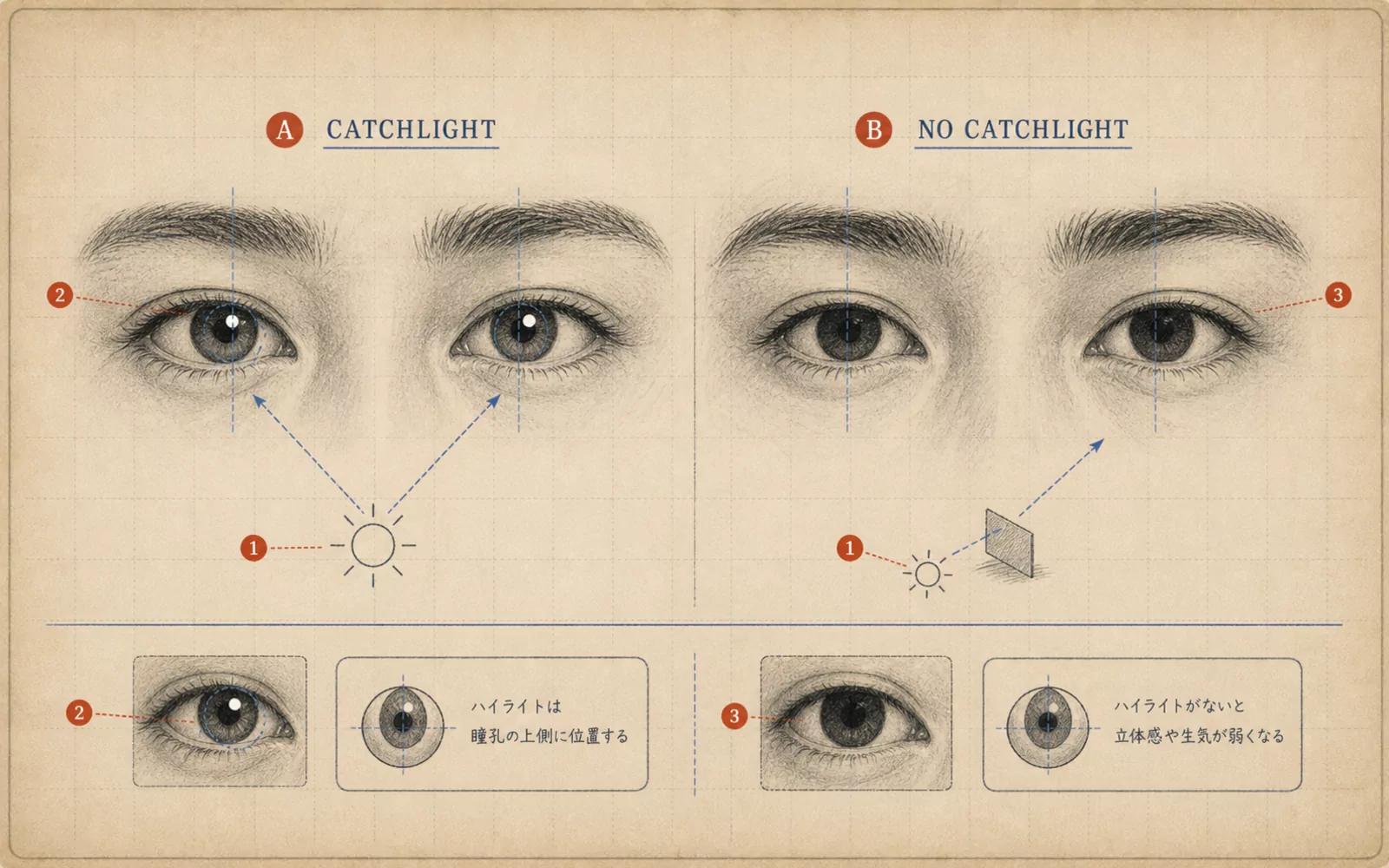 FIG.061Is There Light in Your Eyes?The final step in photo selection is checking the light in the pupils. Photos with small white highlights in both pupils convey a sense of life.
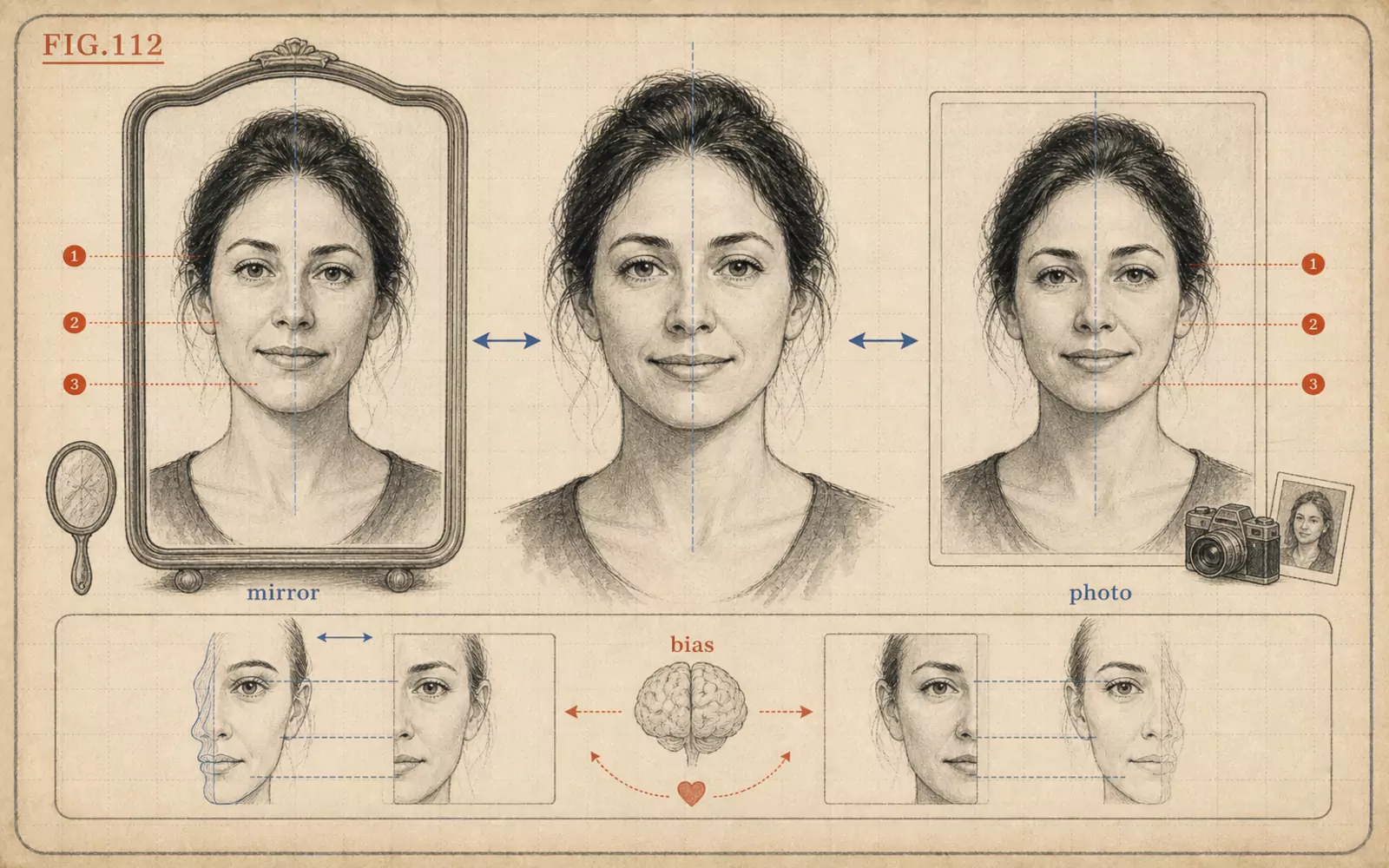 FIG.112For Those Who Dislike Their Own Face: Why Your Mirror and Photo Faces Look DifferentThe reason your mirror face and photo face look different is not that your face has suddenly changed. It is the difference between a familiar orientation and lens position.